
Reliable WooCommerce to Shopify Migration Services
Our WooCommerce to Shopify migration services help your business transition to a powerful online store with zero stress. Migrating platforms can feel complex.
Our experienced Shopify developers handle the entire process smoothly while keeping your data completely safe. We ensure your products, customer records, and search engine rankings remain secure during the store transfer.
Experience a seamless transition designed to improve your platform speed, expand sales, and elevate user experience across device types.
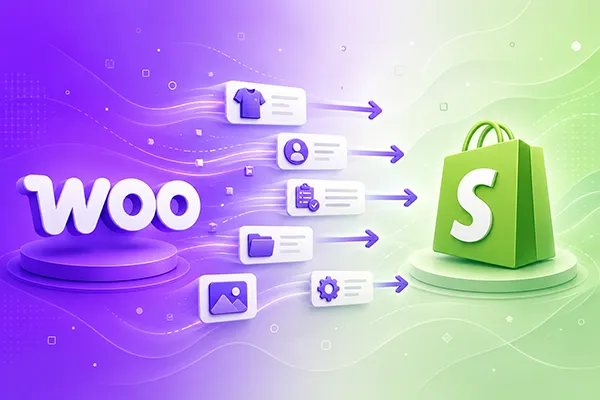
Expert WooCommerce to Shopify Migration Services
We deliver end-to-end migration solutions tailored to your unique eCommerce goals.
Migration Planning & Consultation
- Store Assessment: Our team reviews your WooCommerce store, data structure, plugins, and custom functionality.
- Migration Roadmap: We define the data, integrations, functionality, and steps required for the move.
- Data Mapping: Map WooCommerce fields, categories, products, customers, and orders to Shopify.
- Migration Scope: Identify compatibility issues and requirements before migration begins.
WooCommerce Data Migration
- Product Migration: Transfer products, descriptions, prices, SKUs, variants, and images.
- Customer Migration: Our specialists move customer profiles, addresses, and account information.
- Order Migration: Transfer historical orders and relevant order information.
- Category Migration: Restructure WooCommerce categories into Shopify collections.
- Media Migration: Transfer product images and essential store assets.
- Data Sanitization: Clean duplicate customer records, legacy metadata, and outdated product variants before migration.
Plugin & Integration Migration
- Plugin Assessment: Review existing WooCommerce plugins and their functions.
- App Replacement: Identify suitable Shopify apps or native Shopify alternatives.
- Third-Party Integrations: We reconnect CRM, ERP, email, fulfillment, and marketing platforms.
- Payment & Shipping: Configure required payment gateways and shipping integrations.
- API Connections: Rebuild essential custom integrations using Shopify APIs.
Customization & Functionality Migration
- Custom Feature Migration: Identify WooCommerce functionality that requires rebuilding in Shopify.
- Theme Customization: Recreate important layouts and storefront elements using Shopify themes and Liquid.
- Custom Liquid Development: Build features that cannot be handled through standard Shopify settings.
- Custom App Development: Develop Shopify-specific solutions for unique business requirements.
- Workflow Migration: Our team adapts important WooCommerce workflows to the Shopify environment.
SEO Migration
- URL Mapping: Map existing WooCommerce URLs to their corresponding Shopify URLs.
- 301 Redirects: Redirect changed product, category, page, and blog URLs.
- Metadata Migration: We transfer titles, meta descriptions, headings, and other SEO elements.
- Canonical Setup: Review canonical URLs and indexing signals after migration.
- SEO Validation: Check broken links, crawl issues, indexing, and other technical SEO elements.
Testing & Launch
- Data Validation: Verify migrated products, customers, orders, and inventory.
- Storefront Testing: Test product pages, collections, navigation, filters, and mobile layouts.
- Checkout Testing: Verify cart, checkout, payments, shipping, and discounts.
- Integration Testing: Check apps, tracking tools, APIs, and external systems.
- Launch Support: Our team monitors the Shopify store and resolves migration issues after launch.
Why Work with Us?
Partnering with us guarantees a smooth platform transition with minimal downtime and maximum safety.
Broad Experience
Our skilled specialists have executed complex store migrations across multiple eCommerce sectors over many years.
Global Quality Standards
We follow strict development standards and security protocols to protect your valuable business data at every stage.
Performance-Focused
Our engineers optimize loading speeds, user journeys, and technical store elements to increase online sales conversions.
Affordable Services
We provide cost-effective migration solutions with transparent pricing structures and zero hidden fees or unexpected costs.
Post-Migration Support
Our continuous post-launch support ensures your upgraded store operates smoothly without technical disruptions.
Minimal Downtime
We schedule key migration phases during off-peak hours to keep your business fully functional during the transfer process.
Our Case Studies
Here are examples of successful store migrations we completed for growing businesses.
Case Study 1: Beauty Brand WooCommerce Migration
- Goal: Move a growing beauty store to Shopify with its existing product structure and customer experience intact.
- Approach: We reviewed the store setup, migrated product and customer data, and adapted important features for Shopify.
- Result: The business moved to Shopify with organized store data and a simpler platform for daily management.
Case Study 2: Sports Equipment Store Migration
- Goal: Shift a sports equipment business from WooCommerce to Shopify while maintaining its product organization.
- Approach: Our team planned the data transfer, reviewed third-party tools, and tested product pages, checkout, and key store functions.
- Result: The store launched successfully on Shopify with a cleaner management process and reliable core functionality.
Client Testimonials
Read what our clients say about working with our migration team.
Ready to Transform Your Online Store?
Reach out to our expert team today to plan your seamless store transfer and elevate your digital growth.
Frequently Asked Questions
Find quick answers to common questions regarding the overall migration timeline, store operations, and search engine stability.
How long does a typical WooCommerce to Shopify migration take?
A standard store migration usually takes between two to four weeks. The exact timeline depends on total product volume, custom store code, and third-party integrations.
Will my store experience downtime during the migration process?
No, your existing WooCommerce store remains fully active during the entire migration. We perform initial work on a private environment and only execute final syncs during low-traffic periods.